Connect GitHub
Connect a repository and an Agent can git clone and git fetch it on its
Computer. That works for private repositories too. You connect one repository to
one Computer at a time.
Your GitHub credential never goes into the Computer. Fungi holds it and uses it only when the Computer asks GitHub for that repository.
-
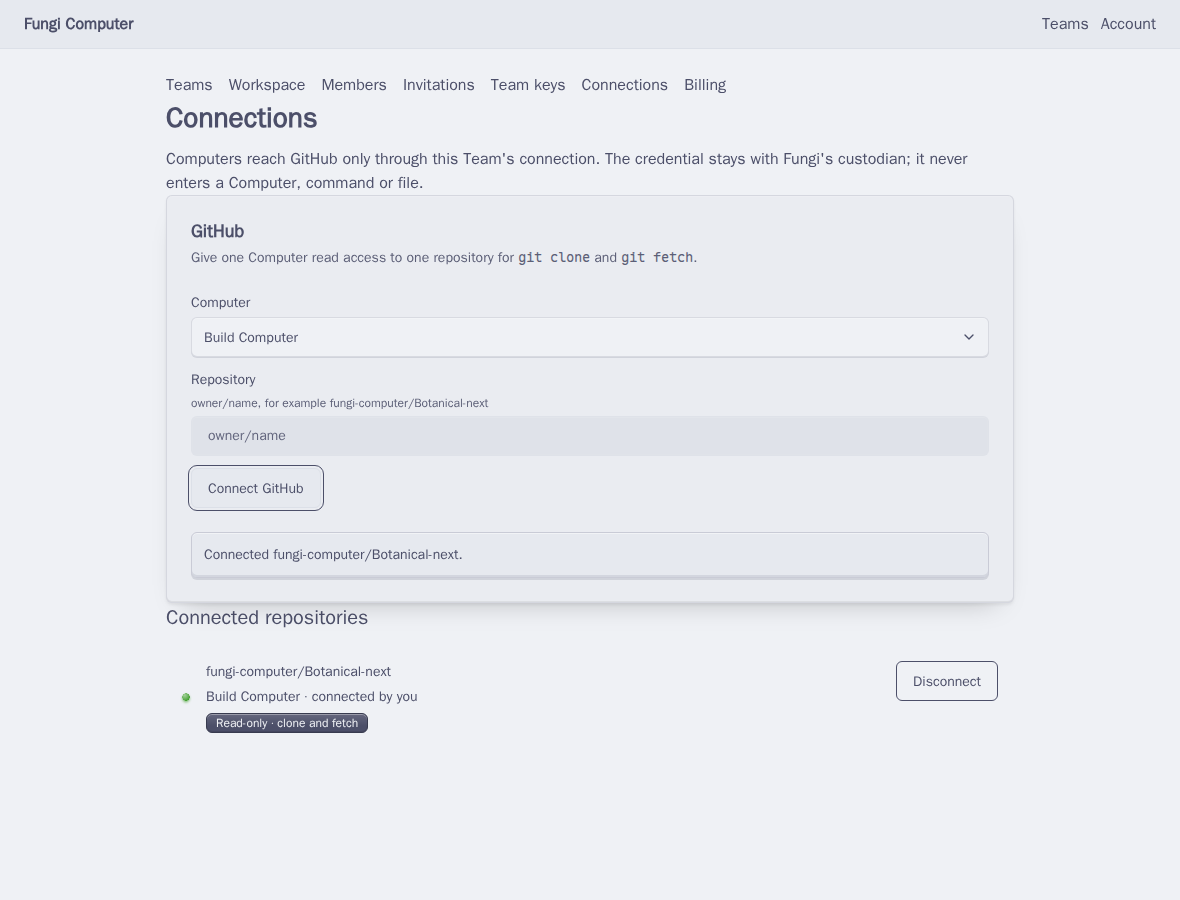
In your Team, open Connections.
-
Under GitHub, pick the Computer that should get the repository. Each Agent has its own Computer. New Computers get a generated name, so if you have several, pick the one attached to the Agent you’ll ask.
-
Type the Repository as
owner/name, for exampleoctocat/hello-world. -
Choose Connect GitHub. A GitHub window opens. Install or authorize the Fungi GitHub App there and give it access to that repository. Come back to Fungi and the page updates by itself.
Ask the Agent to use it
Section titled “Ask the Agent to use it”Talk to the Agent that owns that Computer:
Clone https://github.com/octocat/hello-world and tell me what's in the README.Use the https://github.com/... address. SSH addresses like
git@github.com:... don’t work from a Computer.
What the connection allows
Section titled “What the connection allows”git cloneandgit fetchof that repository, on that Computer.- Nothing else. The Agent can’t push, open pull requests or reach other repositories through it. Pushing is on the Coming soon list.
To remove access, choose Disconnect next to the repository and confirm.